AI meditation video generator
By Arsène Huot, founder of TubeTube · Published · Updated
What is an AI meditation video generator?
Many meditation uploads are one still image stretched over twenty minutes of audio. It works, and it's also why the niche is wide open for anything that actually moves. A generator takes the other route. Your script becomes the spine and each stretch of guidance gets its own generated scene, so the picture drifts along with the voice instead of just sitting there.
On TubeTube this runs in narration mode. You write the session or have the AI draft it from an idea. Then you pick a voice from the ElevenLabs library (filterable by language, gender and age, with an audio preview on each one) and the pipeline does the rest in a single pass. The video engine's own audio is stripped out of every clip at the remux, so nothing competes with the narration. The full faceless flow is laid out in how to make faceless YouTube videos with AI.
How do you make a guided meditation video, step by step?
Five decisions, then one run. The order matters because the audio is generated first and everything downstream is cut against it.
- Write the cues. The script field takes up to 20,000 characters. Short lines and generous line breaks are how a session slows down, because the voice reads exactly what you typed.
- Pick a calm voice. Filter the library down to a low, unhurried narrator and preview it before you spend anything. Bright presenter voices wreck a meditation faster than any visual choice.
- Let the audio lead. The finished narration is transcribed word by word, and the storyboard places scene cuts against that transcript, so a held line gets a held shot rather than an arbitrary cut.
- Say what the frame shows. A separate Visual direction field (up to 8,000 characters) describes the imagery independently of the words. That matters here, because you don't want a literal illustration of "notice your left foot". Timing and visual direction are decoupled on purpose.
- Add the bed, if you want one. Background sound is off by default, so you switch it on yourself. An instrumental track is then generated and mixed under the voice, with a volume slider that starts deliberately low.
The whole job is quoted before you launch. You see an itemised credit cost line by line, covering the narration, the audio sync, the scene images and the clips. The unused part of the reserve comes back as soon as the real audio length is known.
Meditation, lullaby, bedtime story or a lofi loop?
Four calm formats sit next to each other, and they're genuinely different products. Picking the wrong one costs you the audience you were aiming at.
- A guided meditation is spoken, in the second person, for adults. That is this page.
- An AI lullaby video is sung. The lyrics are performed as a slow melody by Suno, for babies and toddlers.
- An AI bedtime story video is narrated too, but it tells a story to a child instead of guiding an adult through their own attention.
- An AI lofi music video has no voice at all. It's a beat under a looping scene.
The practical difference is who's watching, and that's what your revenue follows. Two of those four are made-for-kids by default. This one isn't.
How long can a session run, and what about the pauses?
Here's the honest part, because it's what people get wrong when they buy a tool for this. Length follows your audio. Narration is measured at roughly 14 characters read per second across real productions, so 2,000 characters of script lands near two and a half minutes. When you let the AI write the script instead, the duration picker tops out at about 6 to 10 minutes, which is also where a single run comfortably sits.
Now the silences. TubeTube has no silence control. There's no field where you ask for a 30-second hold, and the voice reads your text and nothing more. So for a long session with real gaps between cues, the reliable route is to record or assemble that audio yourself with the pauses already in it. Upload the mp3 (up to 100 MB) and TubeTube builds the visuals around its actual length. Scene count is computed to cover the whole track, so a quiet stretch still gets picture over it. Know that before you plan a 25-minute body scan and you'll set it up right the first time. For where this sits against other tools, see the long-form comparison.
Which visuals and motion suit a meditation?
Motion style matters more here than the engine. The wizard offers 13 animation styles plus a custom motion description, and one of them is built for exactly this. Slow & cinematic is described in the app as slow, contemplative motion with a gentle camera glide, calm and dreamy pacing. It pairs well with Photorealistic film or Watercolor storybook, two of the 113 visual styles in the catalogue. The sessions that hold up visually:
| Session type | What the frame does |
|---|---|
| Body scan | a slow drift across one still landscape, with each cue holding its own shot and nothing sudden anywhere |
| Sleep meditation | dim blues over a night sky, with a cloud layer moving barely fast enough to notice |
| Breathwork | a single place with a gentle in-and-out camera glide, paced to the count |
| Visualisation | the shoreline or forest path your script describes, rendered as one continuous world |
| Morning intention | warm light and an open horizon, brighter tones for a short waking session |
Two engine features are worth knowing for a session you don't want chopped up. Kling 3 accepts any clip length from 3 to 15 seconds, so a held landscape can breathe instead of being cut short. And continuous take (in beta, Kling 3 only) generates every scene but the last with the next scene's image as its end frame, so shots morph into one another with no cut at all. On a meditation that's the difference between drifting and being interrupted. To compare engines before committing a long render, read Kling vs Veo vs Hailuo.
Nothing gets written on the frame either. TubeTube doesn't burn subtitles or captions into a clip, and the engines are explicitly instructed against any on-screen text, which is what you want when the viewer's eyes are supposed to be closed. If a place you return to needs to stay the same place, scenes are generated in order with the earlier images fed back in as context, and you can pin up to 5 reference images of your own on top. That way the shoreline in cue twelve is the shoreline from cue three. Here's how consistency across scenes works.
What did a real guided session cost to make?
The public gallery doesn't hold a long sleep meditation yet. The closest match is Ejercicio Futuro Ideal 432Hz., a one-minute guided visualization in Spanish that asks the listener to picture their worst and their best possible future, animated with the Slow & cinematic motion described above. These figures come from our credit ledger for that exact run, not from an estimate.
| What | Measured on this video |
|---|---|
| Length | 1:00, 12 scenes of 5 seconds |
| Script | 866 characters of Spanish, read by an ElevenLabs voice |
| Look and motion | Golden hour photo style, Slow & cinematic motion, background sound switched on |
| Video engine | Kling 2.6 Pro, 16:9 |
| Credits charged | 676 (about $7.44 at $0.011 per credit) |
| Render time | 17.5 minutes from launch to finished file |
| Rendered on | 16 September 2026 |
The launch reserved 836 credits. Once the narration existed and the storyboard was locked, the exact cost was known and 132 came straight back; 28 more were refunded when the job finished. A 20-minute session costs more, because every extra stretch of audio needs its own scenes, and the quote shows the estimate before you launch.
Does adult meditation pay better than kids sleep content?
Often, and it's a practical reason to pick this niche over the nursery one. A guided meditation is general-audience content, so it isn't made for kids, and YouTube doesn't serve personalized ads on made-for-kids content under COPPA. On our own Russian kids channel, a $0.83 advertiser CPM became a $0.10 RPM. Sessions also hold a viewer for a long uninterrupted stretch, which is where mid-roll ads come from.
Measured numbers by country and niche are on how much faceless YouTube channels make. If a term like RPM or made-for-kids is new, the AI video glossary defines them.
There's a second lever most meditation channels ignore. A finished session can be dubbed into 24 languages, 5 at a time, billed per minute per language, with any language that fails to generate refunded automatically. Guided scripts travel better than almost any other format, because the imagery is universal and there's no on-screen text to redo.
Is there a free AI meditation video generator?
In most countries TubeTube starts you with 1,000 credits at signup, no card, which is enough to render a short real session and judge the voice yourself (in India, a one-off $4 pack of 1,000 credits replaces them). Two things to know about them. They're valid for 7 days, and there's no recurring free tier afterwards. Paid plans run $22, $49, $129 and $399 per month, with 10% off on annual billing. One credit costs about $0.011, so you can price a session before you run it. Top-up credits never expire, and subscription credits don't expire while you're subscribed.
Exports are clean, watermark-free mp4 files on every paid plan. Download while you're still on the signup credits and the file carries a small tubetube.io mark instead, though the master itself is always stored in full quality without one, so subscribing later turns every download clean again, including on projects you finished weeks earlier. Each run also lets you download every asset: the scene images, the individual clips, the audio and the final video. A YouTube thumbnail is generated for 16:9 videos. The engines, lengths and limits behind it are on the AI video generator for YouTube page.
If one scene comes back wrong you can regenerate just that scene on the finished video, then rebuild the final cut for free. And the public community feed lets you open someone else's video and remix its recipe instead of starting from a blank prompt.
Real examples: narrated stories made with TubeTube
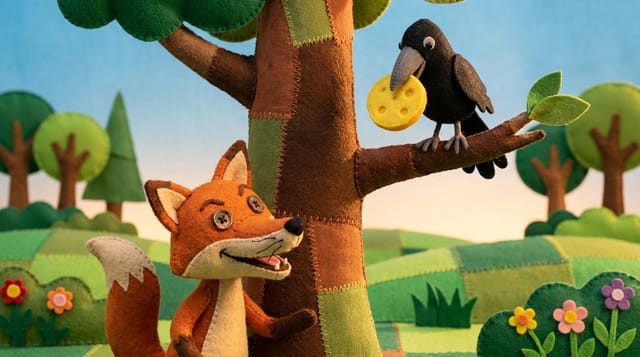
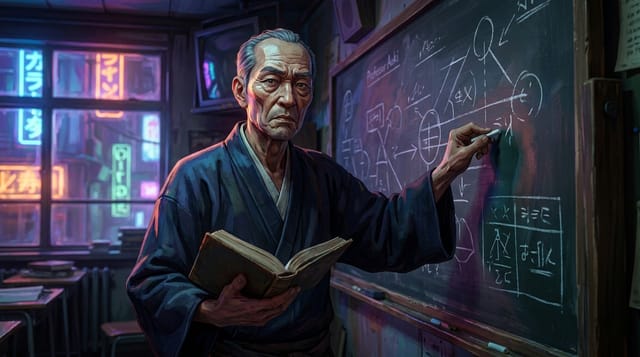
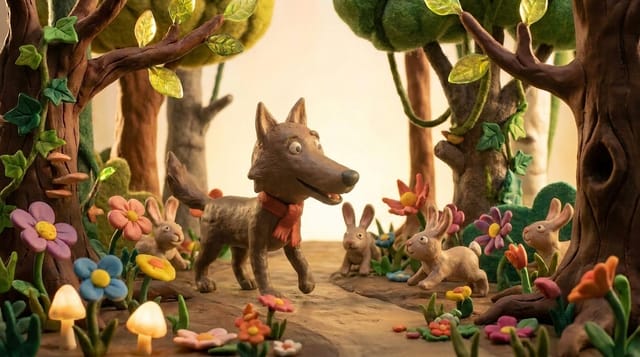
Finished videos from the community gallery, each with its full recipe (style, engine, voice, lyrics or script) that you can remix with your own words.



Frequently asked questions
What is an AI meditation video generator?
It turns a written guided session into a finished video. On TubeTube you write the cues, pick a calm voice from the ElevenLabs library, and the pipeline reads your script, transcribes it word by word, cuts slow generated visuals to that narration and assembles the whole thing in one run. The audience is adult and the guidance is spoken, so it's a different product from a sung lullaby.
Which voice works best for a guided meditation?
A low, unhurried one with very little energy in it. The voice library is filterable by language, gender and age, and every voice has an audio preview, so you can audition a few before spending anything. The narration engine reads exactly the text you supply, which means the pace of the session is the pace you wrote.
Can TubeTube leave long silences between the cues?
There's no silence control in the app. No field where you ask for a 30-second hold, and the voice reads your text and nothing else, so your written pacing is the pacing. If your session needs real gaps between cues, record or assemble that audio yourself with the silences already in it, upload the mp3 (up to 100 MB), and TubeTube builds the visuals around its real length. Scene count is computed to cover the whole track, so a quiet stretch still gets picture over it.
How long can an AI meditation video be?
Length follows your audio. Narration is measured at roughly 14 characters read per second across real productions, and the script field holds up to 20,000 characters. When the AI writes the script for you, the duration picker tops out around 6 to 10 minutes, which is where a single run comfortably sits. For a longer session, upload your own recorded track and the video follows its actual length.
Can I publish the same meditation in another language?
Yes. A finished session can be dubbed into 24 languages, up to 5 per launch, billed per minute per language, and any language that fails to generate is refunded. Meditation scripts travel unusually well because the imagery is universal and there's no on-screen text to redo.
Is there a free AI meditation video generator?
In most countries, new accounts get 1,000 credits at signup, valid for 7 days, with no card required; they aren't granted everywhere (in India, a one-off $4 pack of 1,000 credits replaces them). That's enough to render a short real session and judge the voice yourself, and there's no recurring free tier after them. Paid plans run $22, $49, $129 and $399 per month, with 10% off on annual billing, and one credit costs about $0.011. A 2-3 minute video costs a median 807 credits, about $9 at the base rate of $0.011 per credit; half of them cost between 685 and 1,129 credits ($7.50-12.50), measured on 246 videos in August-September 2026. The exact quote is shown before launch and unused credits are refunded. Every paid plan exports clean, watermark-free mp4s; downloads made on the signup credits carry a small tubetube.io mark instead, and since the master is always stored in full quality without it, subscribing later makes every project you've already rendered downloadable clean again.